
Settings
Settings are saved automatically, and the command-line tool rustz-cli reads the same file. The file format and every key are described in Settings file.
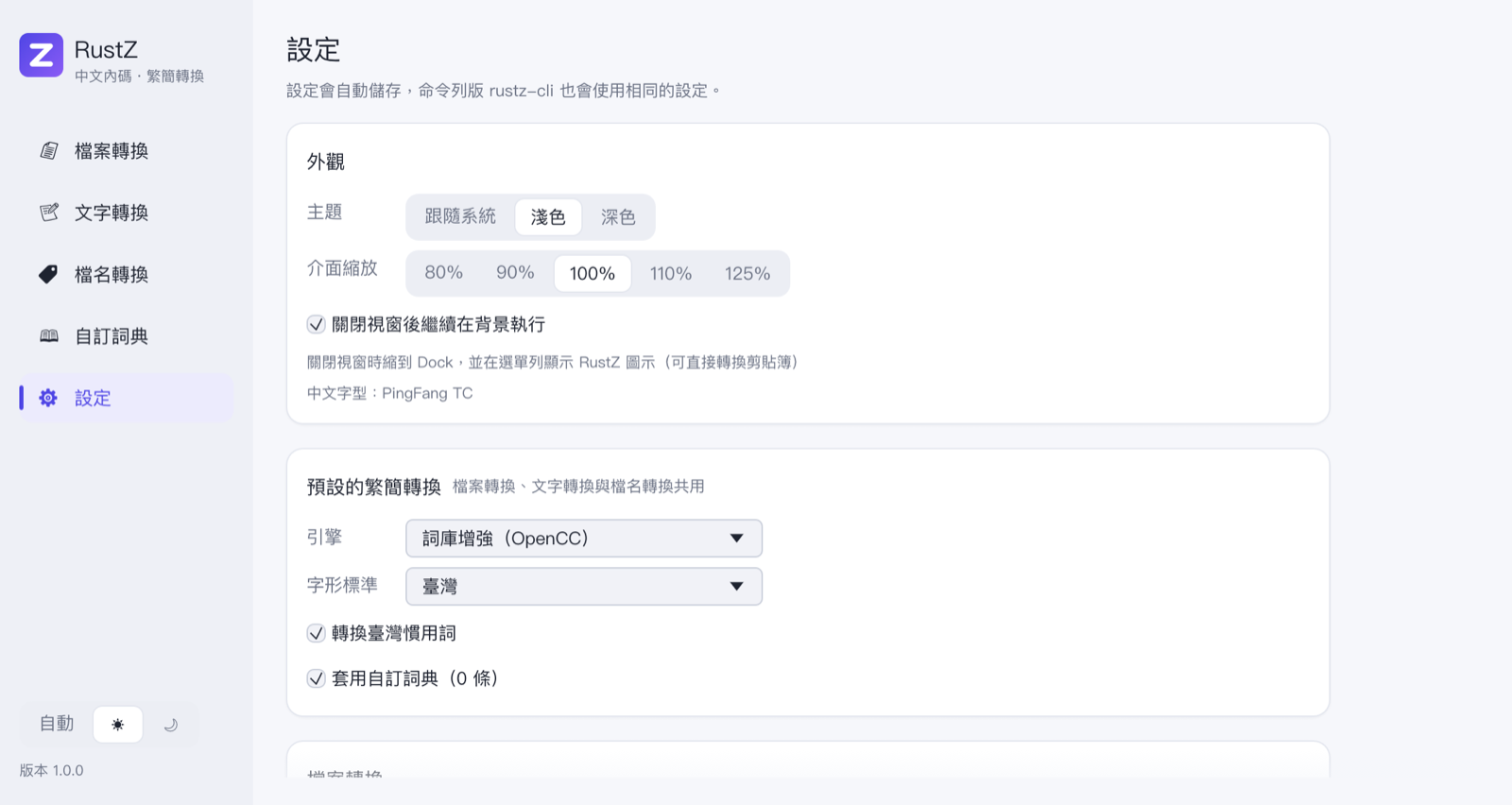
Appearance
| Setting | Meaning |
|---|---|
| 主題 (Theme) | Follow the system, light or dark. The switch at the bottom of the navigation bar does the same |
| 介面縮放 (Interface scale) | 80%, 90%, 100%, 110%, 125% — use it if text is too large or too small |
| 關閉視窗後繼續在背景執行 (Keep running after the window is closed) | On by default; see Running in the background |
Below that, RustZ shows the Chinese font it is using (PingFang on macOS, Microsoft JhengHei on Windows, Noto Sans CJK and similar on Linux), with a red warning if it found none.
Default conversion
Shared by file conversion, text conversion, renaming, clipboard conversion and the command-line tool:
| Setting | Meaning |
|---|---|
| 引擎 (Engine) | OpenCC or ConvertZ |
| 字形標準 (Glyph standard) | Taiwan, Hong Kong or OpenCC standard (OpenCC engine only) |
| 轉換臺灣慣用詞 (Taiwan vocabulary) | 软件 ↔ 軟體, 内存 ↔ 記憶體… (OpenCC engine with Taiwan glyphs only) |
| 套用 ConvertZ 詞彙修正表 (Apply ConvertZ fix lists) | ConvertZ engine only; off means character-by-character conversion |
| 套用自訂詞典 (Use the custom dictionary) | Whether to check the custom dictionary first |
How the engines differ is explained in Conversion engines.
File conversion
| Setting | Meaning |
|---|---|
| 忽略的檔案類型 (Ignored file types) | Files skipped when adding a folder. Comma-separated, with *, ? and character sets such as [0-9], case-insensitive. The default covers images, audio and video, archives, executables, Office documents, fonts and more |
| 網頁類型 (Web-page types) | Files that write missing characters as &#NNNN; and get their charset declarations fixed. Default: *.htm*,*.shtm*,*.xhtm*,*.asp,*.aspx,*.jsp,*.php*,*.pl,*.cgi,*.js |
| 預覽長度 (Preview length) | How many KB of a file the preview reads (4–256, default 16) |
Both lists have a 還原預設值 (Reset) button.
Settings file
Shows where the settings file is; 開啟設定資料夾 (Open settings folder) opens it in your file manager. If there is a RustZ.ini next to the program, RustZ uses that one instead (portable mode).
About
The version and the data sources: the character table, fix lists and frequency tables from ConvertZ 8.02 / ConCmd 1.5 by Alfred Li Chi Shing, and the OpenCC dictionaries for the default engine. See Credits and licenses.